The best system design platform is the one that makes you practise real designs, not just read about them. Most engineers can explain caching, sharding and load balancing, yet freeze when an interviewer says, “Now design it, and defend your choices.” Platforms differ: some teach concepts, some give you problems to solve, and some let you build a design and get feedback.
By the ScaleDojo Team. Last updated: November 2026.
Disclosure: ScaleDojo publishes this guide and is one of the platforms compared. Details on other platforms come from their public pages and may change, so check each site before you buy.
This guide compares six system design practice platforms so you can pick the one that fits your timeline, budget and target role.
Quick Picks
Best for hands-on, interactive system design practice across many topics: ScaleDojo
Best for a large library of written design problems: Codemia
Best for visual concept explanations: ByteByteGo
Best for structured courses with AI grading: System Design School
Best for a quick, focused canvas practice: System Design Sandbox
Best for text-based classic courses with lifetime access: DesignGurus
How We Compared
This comparison uses each platform’s public pages and free-tier information as of November 2026. We looked at five things that matter when you prepare for an interview:
Practice vs reading: do you build and submit designs, or mostly read?
Feedback: do you find out what is wrong with your design?
Coverage: high-level design, database schema, API design and GenAI/RAG.
Depth of the problem library.
Cost and free tier: can you try it before paying?
Comparison Table
Platform | Best for | Main format | Interactive canvas | Free tier | Paid plans |
|---|---|---|---|---|---|
ScaleDojo | Hands-on practice across topics | Build and get scored | Yes (architecture, ER and API labs) | Yes (Explorer plan) | Pro and Architect, from ₹3,499 - 4899 per year (current offer) |
Codemia | Many written problems and solutions | Structured problem solving with AI feedback | Whiteboard-style | Yes (selected problems) | Subscription for full access (see site) |
ByteByteGo | Learning concepts visually | Reading, diagrams, newsletter | No | Free newsletter | Paid courses (see site) |
System Design School | Guided courses | Lessons with AI grading | Diagram-based | Limited | Paid courses (see site) |
System Design Sandbox | Quick architecture practice | Drag-and-drop with AI feedback | Yes | Yes (some scenarios) | See site |
DesignGurus | Classic course learning | Text and video courses | Limited | Sample lessons | Courses with lifetime access, plus subscriptions (see site) |
Prices change often and are shown in each platform’s own currency. ScaleDojo’s ₹2,500 is about US$30 depending on the exchange rate. Check each site for today’s price.
1. ScaleDojo
ScaleDojo is an interactive system design practice platform built on the idea that you learn by building, not reading. It lists 1,005 challenges across seven labs: HLD Architecture (206 levels), Database schema design (190 missions), API Design (144 levels), GenAI Systems (81 challenges), AI Lab (103 challenges), SQL Lab (75 cases) and an algorithm lab (206 challenges).
What stands out
A drag-and-drop architecture canvas where designs are scored on things like latency, cost and correctness.
Dedicated labs for database schema design and API design, which many platforms treat as side topics.
A chaos engineering simulator (Murphy’s Lab) that lets you crash servers and spike traffic to test your design.
A free-form canvas (Draw Your Design) that works without signing up.
Learning paths, a roadmap, certificates and a mock interview arena on paid plans.
Pricing (as listed on the site in November 2026): a free Explorer plan; Pro at ₹3,499 per year (listed at ₹4,999) and Architect at ₹4,899 per year (listed at ₹6,999) as current offers, with a 7-day refund policy. See the pricing page for today’s numbers.
Limitations: it is a newer platform with a smaller community than the older names, and the free plan unlocks only a portion of the levels.
Best for: engineers who want to practise building designs, and anyone preparing for rounds that include database, API or GenAI design.
2. Codemia
Codemia is often described as a “LeetCode for system design.” Third-party reviews put its library at 120+ system design problems and about 20 object-oriented design problems, with an AI feedback loop and detailed solutions. It has a free tier with selected problems and a paid plan for full access.
Strengths: a large, organised problem list and written solutions to learn from.
Limitations: on its public pages, practice centres on structured written answers and whiteboard-style design, and we did not find dedicated database-schema or API labs.
Best for: people who want a big problem bank to work through and compare against model solutions.
3. ByteByteGo
ByteByteGo, created by Alex Xu, is known for clear visual explanations of real-world architectures. Its newsletter is widely read, and it offers courses on system design, machine learning system design and mobile system design.
Strengths: excellent diagrams and explanations, great for understanding why systems are built the way they are.
Limitations: it is mainly a reading and watching experience, so you will need another way to practise producing a design and getting feedback.
Best for: building your concept foundation before you start timed practice.
4. System Design School
System Design School offers structured courses with AI-graded exercises, editorial solutions and study tools such as a capacity calculator and a roadmap. Its lessons cover topics like API pagination, authentication and cache design.
Strengths: a clear learning path and helpful tools for estimation.
Limitations: it is organised around courses rather than a large scored practice library; check its course list for dedicated database schema and GenAI practice.
Best for: learners who prefer a guided curriculum with feedback built in.
5. System Design Sandbox
System Design Sandbox is a lighter, newer option where you drag components onto a canvas and receive AI feedback. A classic scenario such as a URL shortener is available for free, with more added over time.
Strengths: simple and quick to try.
Limitations: a smaller catalog than the larger platforms.
Best for: a fast first taste of building a design on a canvas.
6. DesignGurus
DesignGurus offers the well-known Grokking courses, including system design and object-oriented design, in a text-and-video format. It is known for a lifetime access model on individual courses, alongside subscription options.
Strengths: familiar, well-structured course content you can revisit.
Limitations: more reading than hands-on building.
Best for: learners who like traditional courses and want long-term access.
When ScaleDojo Is Not the Best Fit
No single platform suits everyone. Choose something else if:
You only want to read and watch. ByteByteGo and DesignGurus are built for that.
You want a very large bank of written problems with model solutions. Codemia is built around that.
You want the largest community and the most third-party reviews. Older platforms have a longer track record.
You need a human interviewer. Much of the feedback on any of these platforms is automated, so pair it with a peer or coach for a real mock interview.
Head-to-Head Comparisons
Codemia vs ByteByteGo
ByteByteGo teaches through visual explanations and courses, while Codemia is practice-first, built around a problem bank and AI feedback. Many candidates learn concepts with ByteByteGo, then practise on Codemia or a hands-on platform. Both change their pricing from time to time, so check the current plans.
System Design School vs Codemia
System Design School is organised around a curriculum with AI-graded exercises and study tools. Codemia is organised around a large set of problems with solutions. Choose the first if you want a guided path, and the second if you already know the basics and want volume.
System Design Sandbox vs ScaleDojo
Both let you drag components onto a canvas and get AI feedback. Sandbox is lighter and quick to try. ScaleDojo has a larger catalog (1,005 challenges) and separate labs for database schema, API and GenAI design.
How to Choose a System Design Platform
If you... | Start with |
|---|---|
Are new to system design (best platform for beginners) | ByteByteGo or DesignGurus for concepts, then ScaleDojo for practice |
Have 2 weeks before an interview | A hands-on platform (ScaleDojo, System Design Sandbox) plus Codemia problems |
Want depth in databases and APIs | ScaleDojo’s Database and API labs |
Are targeting GenAI or ML roles | ScaleDojo’s GenAI Systems Lab, plus ByteByteGo’s ML system design |
Want a big bank of written solutions | Codemia |
Want free system design practice | Start with the free tiers of several platforms, then pay for one |
A 4-Week Plan Using More Than One Platform
You do not have to pick only one. A sensible mix looks like this:
Week 1: learn the fundamentals (load balancing, caching, databases, queues) from a reading platform and the ScaleDojo wiki.
Week 2: build easy and medium designs on a canvas, such as a URL shortener and a rate limiter.
Week 3: practise database schema and API design, the parts candidates often skip. Start with the Database Lab.
Week 4: do timed mock designs, add failure scenarios, and explain your trade-offs out loud.
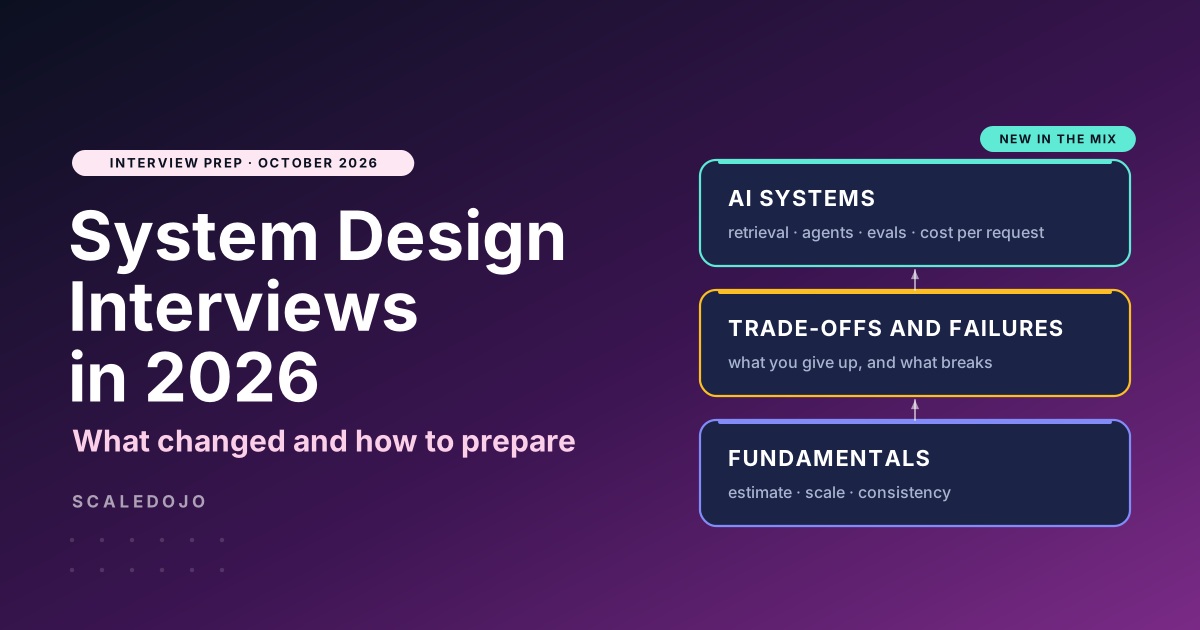
For more on what interviewers expect this year, read System Design Interviews in 2026: What Changed and How to Prepare.
Frequently Asked Questions
What is the best system design platform in 2026? It depends on how you learn. If you want to build and get feedback, choose a hands-on platform. If you want to understand concepts first, start with a visual or course-based one. Many engineers combine two.
Which system design platform is best for beginners? Start with a concept-focused source such as ByteByteGo or DesignGurus, then move to a hands-on platform like ScaleDojo so you practise what you read.
Is there a free system design practice platform? Several platforms have free tiers. ScaleDojo has a free Explorer plan, Codemia offers selected free problems, System Design Sandbox has a free scenario, and ByteByteGo has a free newsletter.
Is there an interactive system design practice option online? Yes. ScaleDojo and System Design Sandbox let you drag components onto a canvas and get feedback, and ScaleDojo’s Draw Your Design canvas works without signing up.
Do I need a platform that covers database and API design? Yes, if your interviews include a schema or API round. These rounds are common, but many platforms cover them lightly.
How long does system design preparation take? Many candidates spend four to eight weeks, depending on their experience. Regular hands-on practice usually works better than long reading sessions.
Can AI feedback replace a real mock interview? AI feedback is useful for catching gaps quickly and for repeated practice. A human mock interview helps with communication and follow-up questions, so a mix is ideal.
Final Thoughts
The best system design platform is the one that gets you designing, getting feedback and explaining your choices out loud. Try a few free tiers, pick the one that matches how you learn, and practise regularly.
If you want to start building right away, open the first ScaleDojo challenge for free or check the pricing.